Register
Process Type
Graphical expression
Mind Type
Structured expression
Note Type
Efficient expression
Flowchart
Process creation you will enjoy

Supports drawing Flowcharts, Swimlane Diagrams, UML Diagrams, Gantt Charts, Network Topology Diagrams, and many other graphics.

Try for free →
Process creation you will enjoy
Mindmap
Bring your ideas to life

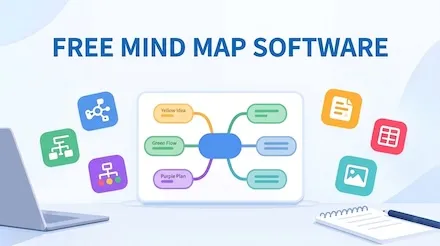
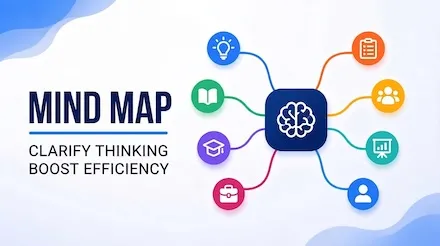
It supports drawing mind maps, tree diagrams, timelines, fishbone diagrams, organizational charts, bracket diagrams, matrix diagrams, and more to unleash your inspiration.

Try for free →
Bring your ideas to life
Whiteboard
Add anything to the Intelligent board

A smart canvas enables innovation everywhere.A visual diagram makes work more efficient.A free space fosters closer teamwork.

Try for free →
Add anything to the Intelligent board
Markdown
Editor Built For Tech Writers

Markdown online editing provides AI-powered one-click Markdown code generation and supports real-time preview of mind maps.

Try for free →
Editor Built For Tech Writers

Better Work Methods.

AI helps you create. Create anytime, anywhere.
AI-powered drawing
It can intelligently generate flowcharts and mind maps in one sentence, and can also use AI to generate various codes such as Markdown, Mermaid, LaTex, etc.
Create a login and registration flow chart.
AI-powered drawing
great! make this diagram a different style.
AI-powered drawing
Online collaboration
Draw online without downloading, supporting multi-person collaboration and making teamwork more fun.
Online collaboration Cursor
Cross-platform use.
Files are automatically saved and synchronized across multiple devices in the cloud, ensuring data security.
Cross-platform use. Cross-platform use.
Compatible with various formats
Import files in Visio, Xmind, Markdown, Mermaid, and Excel.
Export files in PNG, PDF, PPT, SVG, Excel, and Word.

How to use ProcessOn.

Is ProcessOn permanently free?

We promises to be permanently free. Free users can create up to 9 files with no limit on the number of nodes. At the same time, we also provide more rights and capabilities to member users.

How to import existing files?

On the My Files page, click 'New' below the logo in the upper left corner. It supports importing POS, Excel, Xmind, and VISIO.

How to restore the historical version?

For flowchart files, click 'File' - 'History' in the upper left corner. For mind map files, touch the ProcessOn icon in the upper left corner - 'History'. Select the version you want to restore and confirm the restoration.

How to share collaborative files?

Click 'Share', enter username, invite to collaborate. You can also directly open the collaboration link, set permissions to view or edit, and then copy and share the link with others to collaborate. To only allow others to view, enable public sharing and copy the link for others to view without logging in.

How to export the drawn graphics?

Click the 'Download' icon in the upper right corner of the file details page to export graphics. Mind maps support exporting to PNG, PDF, Word, Excel, and Xmind formats, and flowcharts support exporting to PNG, PDF, and VISIO formats.

Is ProcessOn permanently free?

Drawing tutorial,
take you to get started easily .

If you are a beginner and want to improve your drawing skills,
but don’t know how to get started, come and learn.
Explore More →
Can AI generate professional Gantt charts? An essential guide for project management.
Gantt charts are the most commonly used visualization tool in project management. They visually represent the sequence and duration of activities in a specific project using a list of activities and a time scale. It's an indispensable tool for project managers, product managers, and even students writing graduation theses. ProcessOn AI supports one-click Gantt chart generation; you only need to describe your requirements, and AI can generate a well-structured, time-appropriate, and task-specific Gantt chart within 10 seconds.
Skye
2026-03-05
16
Generate professional-grade UML sequence diagrams quickly using AI in three simple steps.
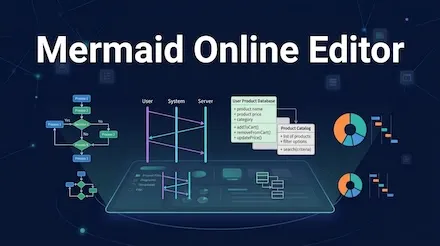
Sequence diagrams, also known as sequence diagrams, are a type of interaction diagram in UML (Unified Modeling Language). They are primarily used to illustrate the process of messages being passed between objects in chronological order. ProcessOn AI recently upgraded its sequence diagram generation capabilities, allowing you to directly input your requirements and have AI instantly generate professional-grade sequence diagrams, letting you truly focus your energy on the design of sequence diagrams themselves.
Skye
2026-03-03
108
AI + Mind Mapping: The Complete Path from Idea to Implementation
In this information-saturated age, everyone—from professionals and students to freelance creators—faces the challenges of information organization, knowledge management, and efficient output. While traditional mind mapping tools can aid in organizing thoughts, manual creation is time-consuming and labor-intensive, and they struggle to adapt quickly to complex scenarios. This article will provide an in-depth analysis of how to boost your mind visualization efficiency by 300% through four ProcessOn AI features!
Skye
2025-12-25
973
How can AI be used to improve flowchart design efficiency ?
In today's fast-paced workplace, flowcharts have become a core tool for streamlining complex logic, optimizing collaborative processes, and improving decision-making efficiency. However, traditional flowcharting methods often suffer from pain points such as "time-consuming creation from scratch" and "high barriers to information extraction." ProcessOn's flowchart tool has been upgraded with AI capabilities, redefining the standards for flowchart design efficiency .
Skye
2025-12-16
834
Recommendations for free online AI mindmap tools
Faced with a dazzling array of mindmap tools on the market, users often find themselves in a dilemma: Does it support multi-person collaboration? Is the operation simple enough? Can it meet personalized design needs? This article will recommend a free online AI Mindmap tool that combines intelligence and convenience, redefining the experience standard for Mindmap creation.
Skye
2025-12-05
947
From Chaos to Clarity: New Collaborative Strategies for Student Group Projects
Group projects, designed to teach collaboration, often descend into chaos globally due to unclear methods and tools. To solve this, this article will analyze key pain points, offer practical methods, and demonstrate with a tool example how to manage teamwork systematically for effective outcomes.
Cathy
2025-12-02
801
Recommended free online AI flowchart tools
Faced with a dazzling array of flowchart tools on the market, users often find themselves in a dilemma: Does it support multi-user collaboration? Is the operation simple enough? Can it meet personalized design needs? This article will recommend a free online AI flowchart tool that combines intelligence and convenience, redefining the experience standard for flowchart creation.
Skye
2025-11-24
1853
A Complete Guide to Product Roadmaps - Concepts, Types, and Tutorials
The product roadmap is a core tool in product management. It not only helps teams clarify their direction but also allows stakeholders to intuitively understand the product roadmap. This article will systematically explain the secrets of the product roadmap, from basic concepts to practical techniques.
Skye
2025-10-16
1601
Riding the wave of intelligence: A detailed explanation of essential AI productivity tools in five major areas
From handling complex ideas to generating exquisite images, from efficiently recording meeting content to achieving seamless cross linguistic communication, artificial intelligence is reshaping the way we work. This article will delve into the top performers in five key areas and provide a detailed introduction to their core AI capabilities to help you seize opportunities in the era of intelligence.
Cathy
2025-10-10
3044
Learn five classic charts to make complex information clear in seconds
In an era of information explosion, efficiently communicating complex concepts has become a critical skill. Scatter plots , funnel plots, quadrant plots, matrix plots, and iceberg plots—five classic visualization tools—help people overcome cognitive limitations by presenting information in a structured manner. They transform abstract logic into intuitive graphics, revealing the inherent laws of a system while streamlining decision-making processes. They are widely used in fields such as business analysis, educational communication, and project management. The following systematically analyzes the core characteristics and application scenarios of each chart.
Skye
2025-09-17
1932
Next
Next

Tons Of Templates, All Free To Use.

If you're short on inspiration and unsure how to draw, use the ProcessOn templates for inspiration.

Loved by millions of users.

Maria González​
Marketing Management
¡ ProcessOn es increment í ble ! Lo he estado usando I 'm sorry for you​​​​ diagrams and maps Mentales .​​​​​​​ tiempo aprendiendo . Además, como todo está en línea , puedo acceder a mi trabajo desde cualquier lugar . ¡ Muy prá ctico !
Isabel Lopez
Product​​
ProcessOn has hecho mi trabajo Mucho más fá cil . La variedad de plantillas me ahorra mucho I want you to know me crear Diagrams of aspects professional . Es una herramienta que uso todos los dias y la recomiendo a todos .
Lautaro Martínez
Financial Controller
I mainly use ProcessOn to streamline financial processes, approval paths, and internal control structures. By visualizing complex processes, management can understand them more intuitively and identify process redundancies for continuous optimization.
Ryan Miller
Backend Engineer
I usually use ProcessOn to draw UML, sequence diagrams, and interface call processes without installing local software. It can be used directly through a browser, making modification and collaboration very convenient. It is suitable for daily technical discussions and document accumulation.
Kevin Parker
data analyst
When explaining the indicator system and data flow, using ProcessOn to draw a data flow diagram is very intuitive, which is not only convenient for communication with business colleagues, but also suitable for long-term reusable analysis documents.
Olivia Yamin
Game Design
We will use ProcessOn to streamline the gameplay logic, system relationships, and numerical structures. After breaking down complex designs into diagrams, the communication costs between the program, art, and planning will be significantly reduced.
Carlos Rodríguez​​
Stop the Project
ProcessOn me has sorprendido mucho . Es una herramienta excel in success diagramas rápidamente .Las plantillas y los​ Iconos hacen que mis proyectos se vean Professionals are much more esfuerzo . Y lo mejor , ¡ puedo trabajar desde cualquier parte !
Javier Ramírez
E-strategy for continuation
Para mí, ProcessOn es una herramienta indispensable. Organizar mis ideas y proyectos nunca ha sido tan sencillo . La interfaz es fá cil de usar, y el hecho de que sea en lí nea lo hace aún mejor .
Emily Carter
lawyer
In case analysis and internal discussions, I will use ProcessOn to streamline the case process, timeline, and evidence relationships. By visualizing complex legal logic, communication becomes more intuitive and helps to clarify the approach to the case
Daniel Roberts
Brand Manager
When conducting marketing activities and brand communication plans, using ProcessOn to clearly outline the activity process, communication path, and resource collaboration significantly improves cross departmental communication efficiency and makes the execution process more controllable.
Dora Chen
Investment Manager
When analyzing the company's business model and structure, using ProcessOn to draw a graph of revenue sources and business relationships provides clearer logic and facilitates quick communication with the investment committee for core judgments.
James Turner
freelancer
I use ProcessOn for creative planning and project decomposition, organizing scattered ideas into structured mind maps, which makes my ideas clearer and easier to continuously produce content.
Ana Martínez
Dissertation Graphics​
Me encanta ProcessOn .​​​​​​​ intuitiva . No me costó nada aprender a usarla .​​​ en cualquier momento y lugar , sin preoccupaciones .
Laura Perez
Analista de Negocios
ProcessOn es ideal para trabajar en equipo .​​​​​​​​​​​ crear diagramas Professionales rápidamente y compartirlos con mi equipo desde cualquier lugar .
Jonathan Brooks
UX designer
When doing information architecture and user process analysis, I often use ProcessOn to first run the logic and then enter the design phase. It is lighter than traditional design tools and suitable for early thinking and team consensus building.
Marcus Thuram
Consulting firm consultant
When conducting industry analysis and presenting solutions, I often use ProcessOn to visualize complex logic and analytical frameworks, making it easier for clients to understand and making the presentation structure appear more professional and persuasive.
Alex Morgan
E-commerce Operations Manager
The promotional activity process, conversion path, and user behavior analysis can be clearly illustrated with a single ProcessOn diagram. The team has avoided many detours in the execution of the activity, and the review is more efficient.
Luis Fernández
Software Design
ProcessOn es perfecto para organizar mis ideas. Create diagrams y maps Mentales es muy fá cil , y todo se ve muy Profesional . Además, puedo acceder a mis proyectos desde cualquier Dispositivo , lo cual es genial.
Michael Anderson
university lecturer
In teaching and training, I often use ProcessOn to transform abstract knowledge points into flowcharts and structural diagrams, which makes it faster for students to understand and easier for them to form systematic cognition.
Sarah Wilson
Product Manager
As a product manager, I mainly use ProcessOn to draw requirement flowcharts, business architecture diagrams, and PRD structure diagrams. The tool is very easy to use and can clearly express complex logic during the review process, significantly reducing the cost of repeated explanations and communication.
Thomas Walker
Director of Human Resources
We used ProcessOn to organize the organizational structure, job responsibilities, and recruitment process. After clarifying the abstract management issues, internal communication became much smoother, and new employees were able to better understand the company structure.
Robert Green
Project Manager
ProcessOn is very friendly to project management, with visual presentation of milestones, division of responsibilities, and process nodes, making it easier to drive project implementation than simple text documents.